Git & GitHub for DevOps Engineers.

Now that we have learned about shell scripting, it's important to learn about managing the code using source code management tools.
Git is a version control that provides what changes occurred when with a timestamp. It is commonly used for software development, but it can be used to track changes to any set of files.
GitHub is a web-based platform that provides hosting for version control using Git. It is a subsidiary of Microsoft, and it offers all of the distributed version control and source code management (SCM) functionality of Git as well as adding its own features.
Version control is a system that tracks changes to a file or set of files over time so that you can recall specific versions later. It allows you to revert files back to a previous state, revert the entire project to a previous state, compare changes over time, see who last modified something that might be causing a problem, who introduced an issue and when, and more.
There are two main types of version control systems: centralized version control systems and distributed version control systems.
A centralized version control system (CVCS) uses a central server to store all the versions of a project's files. Developers "check out" files from the central server, make changes, and then "check in" the updated files. Examples of CVCS include Subversion and Perforce.
A distributed version control system (DVCS) allows developers to "clone" an entire repository, including the entire version history of the project. This means that they have a complete local copy of the repository, including all branches and past versions.
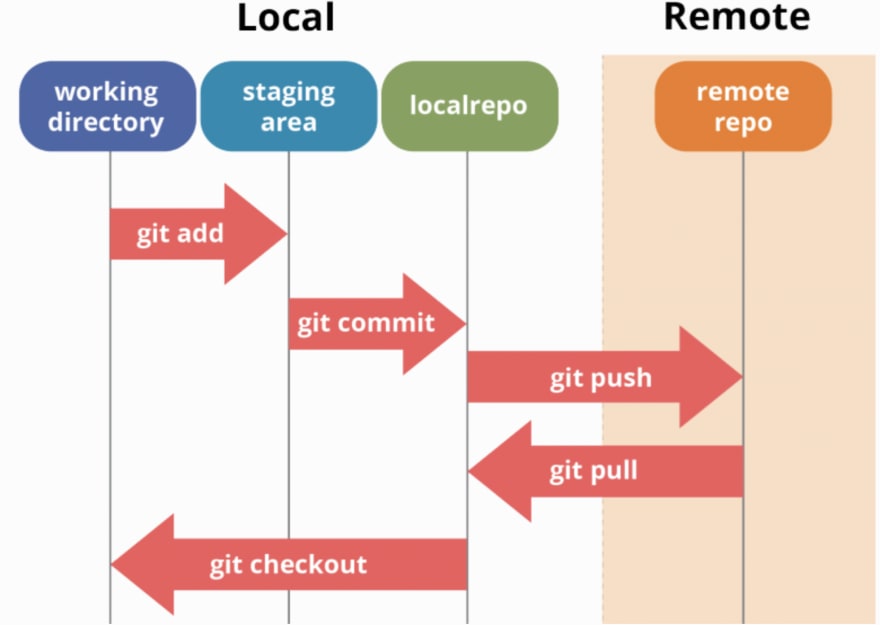
Basic git commands:
git checkout - Creates a new branch from master. You can use this command to move to branch/master as well. Below we have switched to dev branch.

git checkout master- This command will take you to the master branch.

git add <filename>: To stage a file.

git commit: Commit all changes in the working directory. This only includes modifications to tracked files

git status: Shows the branch you are in, a list of track/untracked files
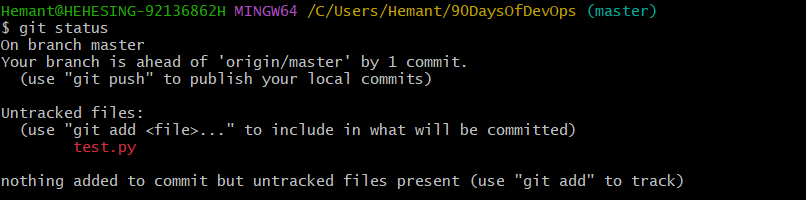
git push -u origin master: Push changes from all local branches to matching branches the origin remote. git push origin master will push changes from the local master branch to the remote master branch.
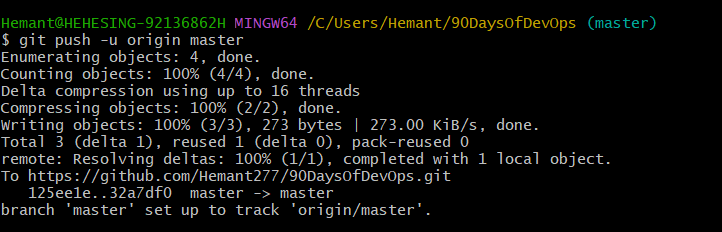
So, from my local folder, I have pushed New Text Document.txt to remote repository.
Check the timestamp on the right.
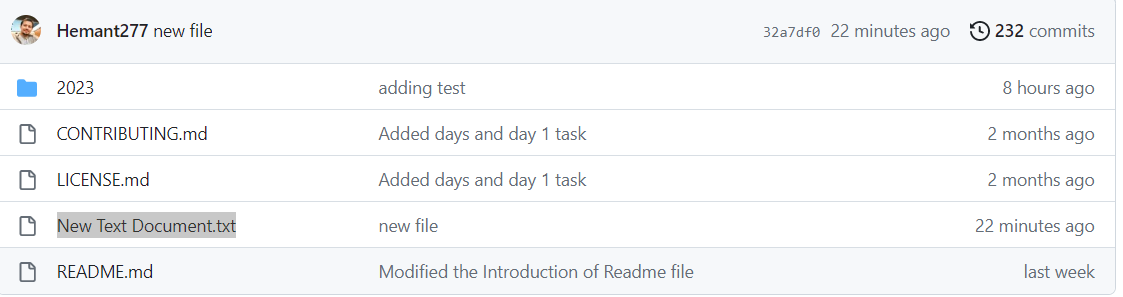
That's basic source code management using git
Thanks Shubham Londhe
Do, read and practice these commands on your local files.
Cheers!! Happy Learning!!


